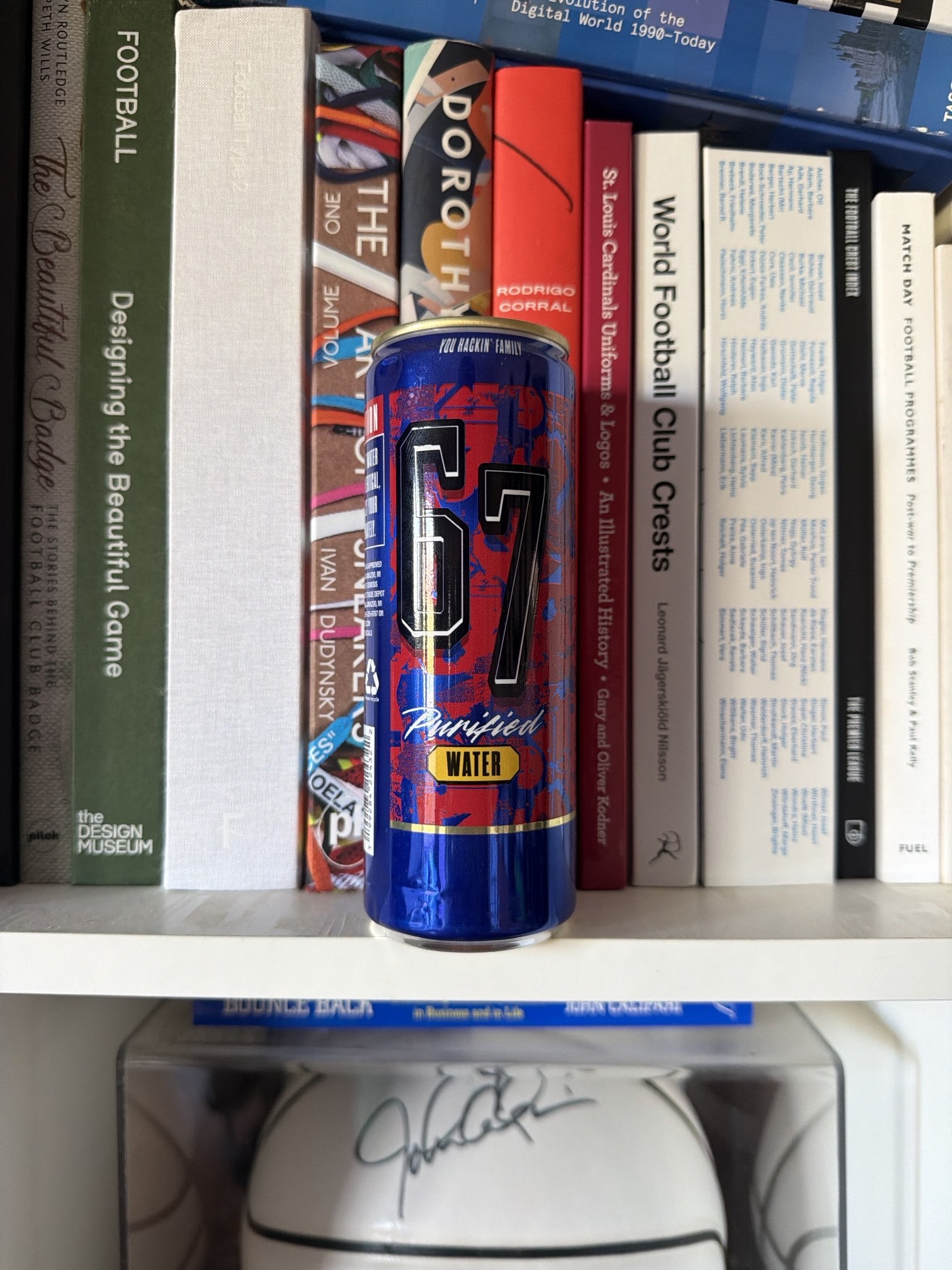
6 7 Water: College Choice
A limited-edition can for Taylen Kinney's college decision. Fans guessed which school's can he would pick, and the ones who got it right could buy it. He picked Kansas.
- Brand
- 6 7 Water, with Overtime
- Athlete
- Taylen Kinney, OTE
- Surfaces
- Mobile web, desktop
- Status
- Launched, 2025
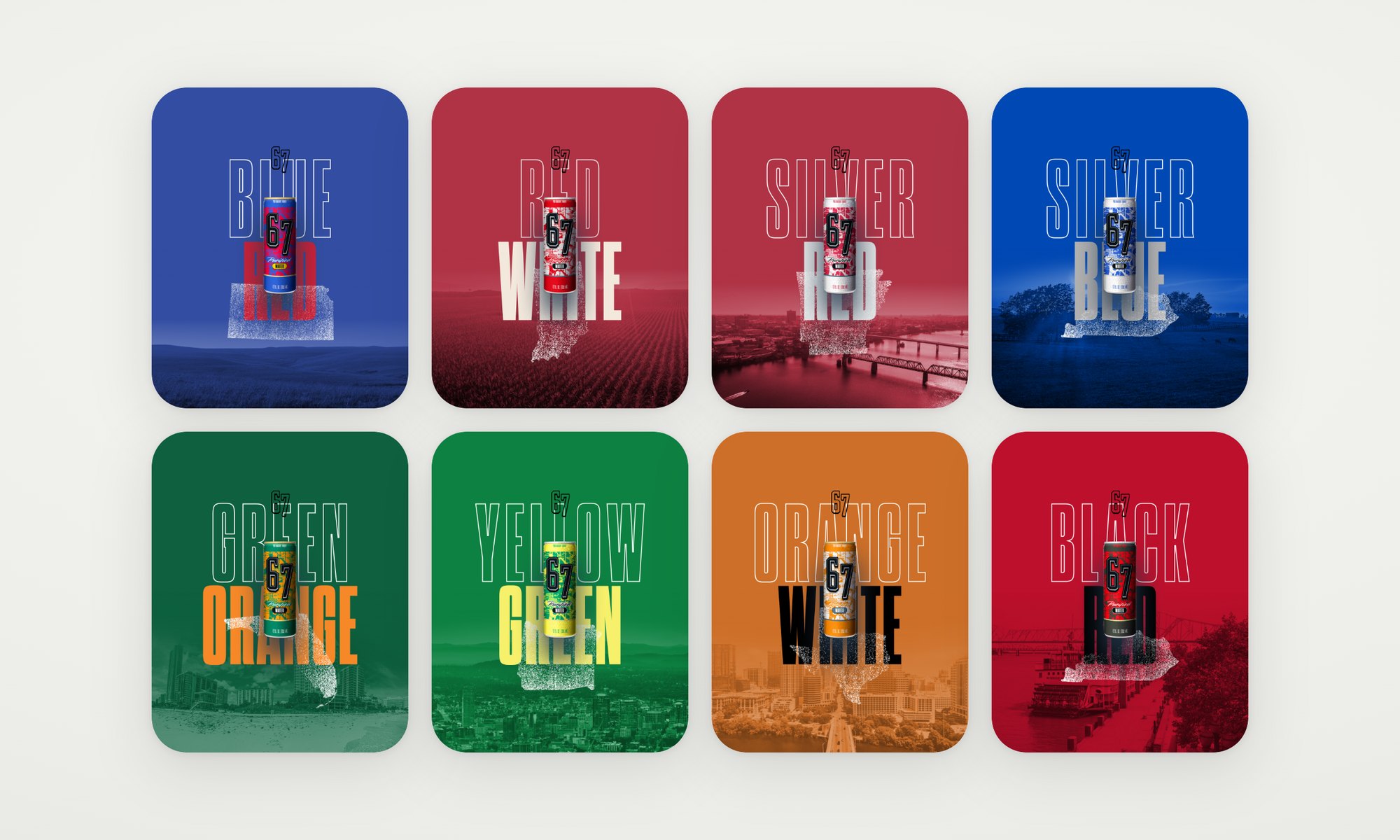
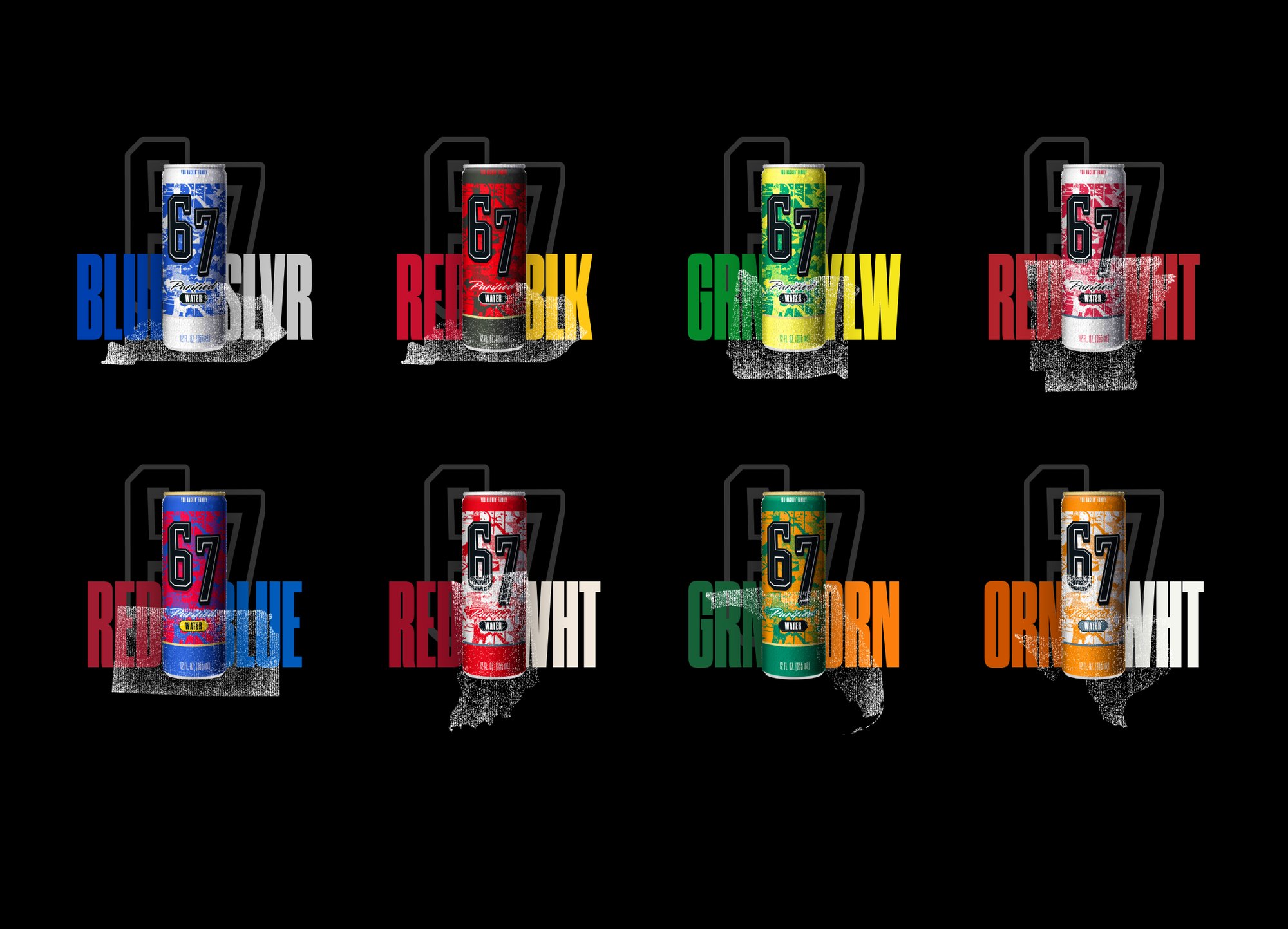
Taylen Kinney has a water brand, 6 7 Water, made with Overtime. Before he announced his college, we designed a can in the colors of eight schools and asked fans to guess which one he would pick. He chose Kansas.
Early landing pages
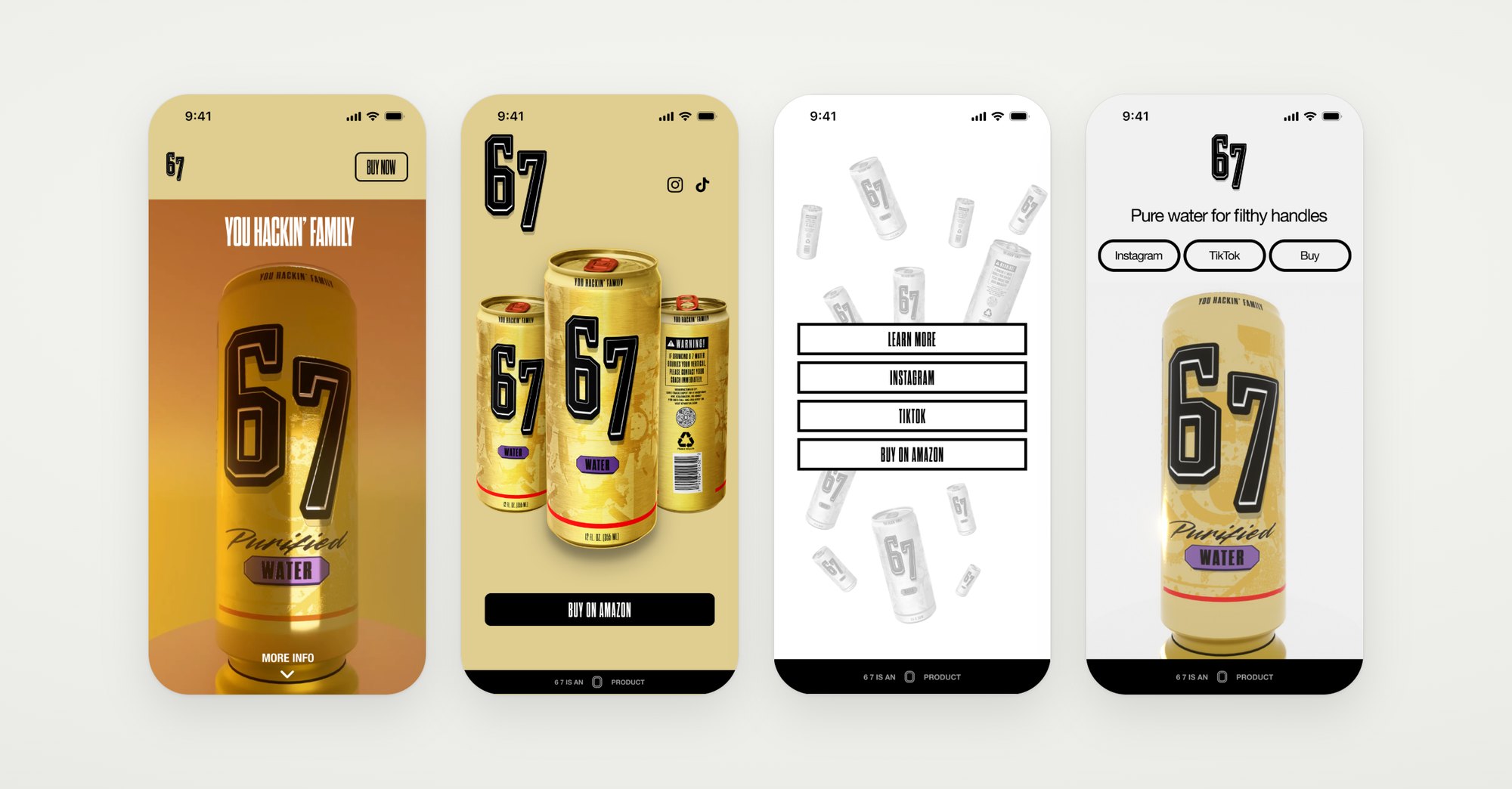
The first request was a landing page for the gold can with a buy button. I designed four versions, from a large photo of the can to a screen of falling cans.
The game idea
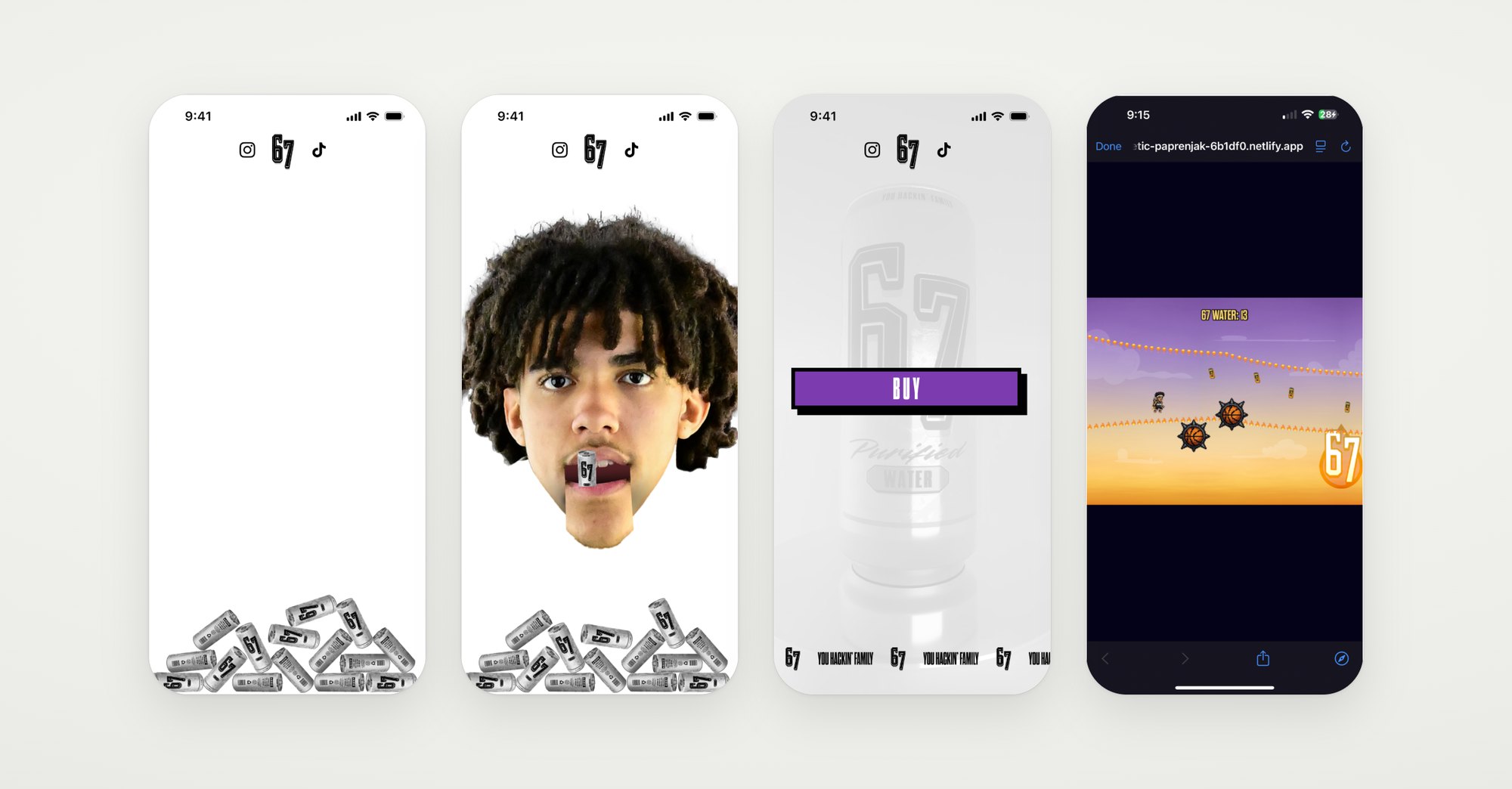
Before we settled on the guessing idea, I tried making the page interactive. In the storyboard, TK's face is in the middle of the screen with his mouth open. You toss him a can, he bites down on it and a buy button appears. I also built a side-scrolling version that could be played on a phone.
Notebook sketches
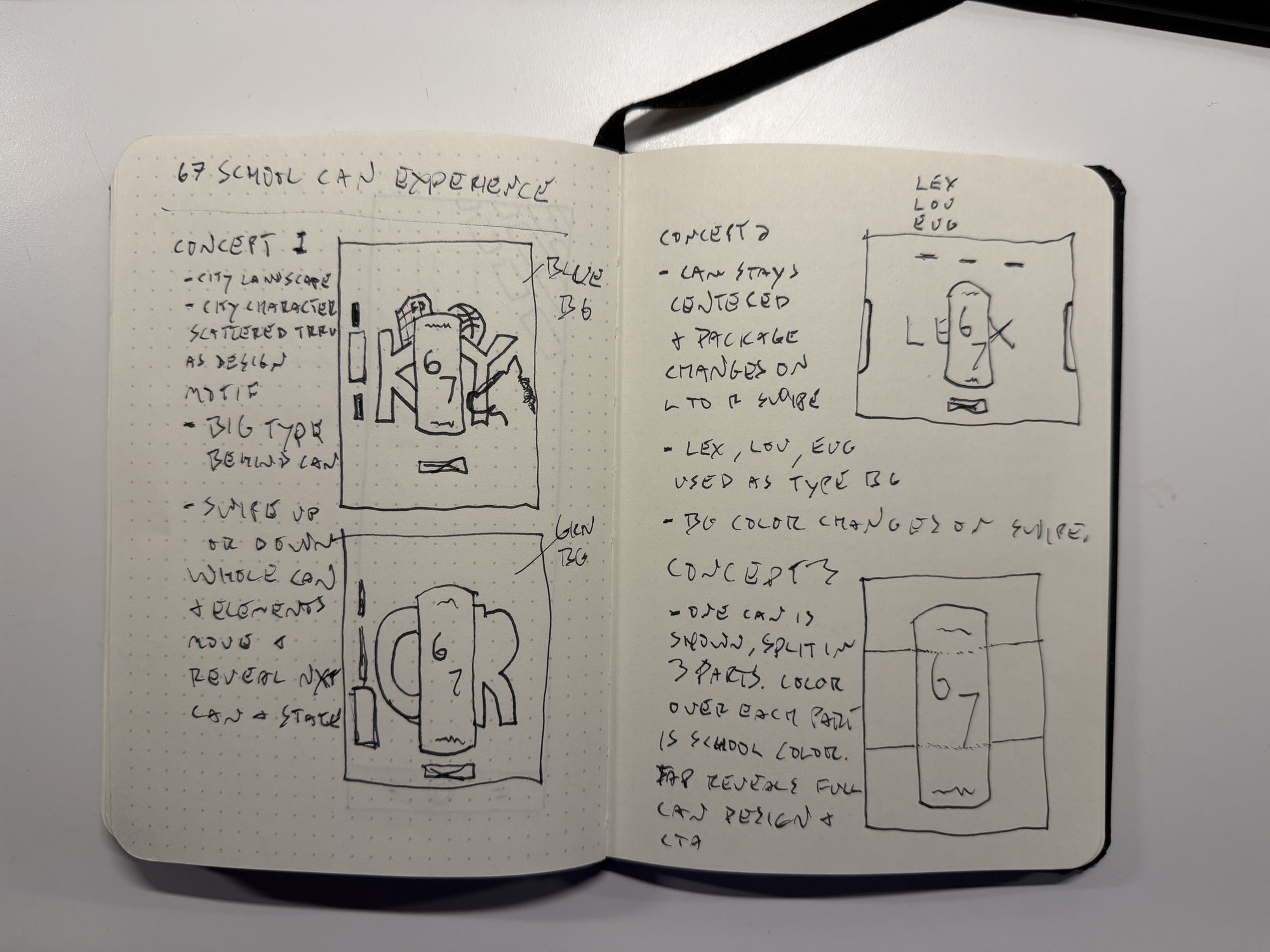
Once we decided to tie the can to his decision, I sketched three ways a fan could pick a school's can.
In the first, large type and pieces of the city sit behind the can, and swiping up or down moves to the next school. In the second, the can stays in the middle and its design changes as you swipe left or right, with the city abbreviation (LEX, LOU, EUG) behind it and the background color changing each time. In the third, one can is split into bands of school colors, and tapping a band shows that can in full with a buy button.
All three were built. The first became the preorder pages, the second became the card deck and the third became the College Shop.
Where should TK go?
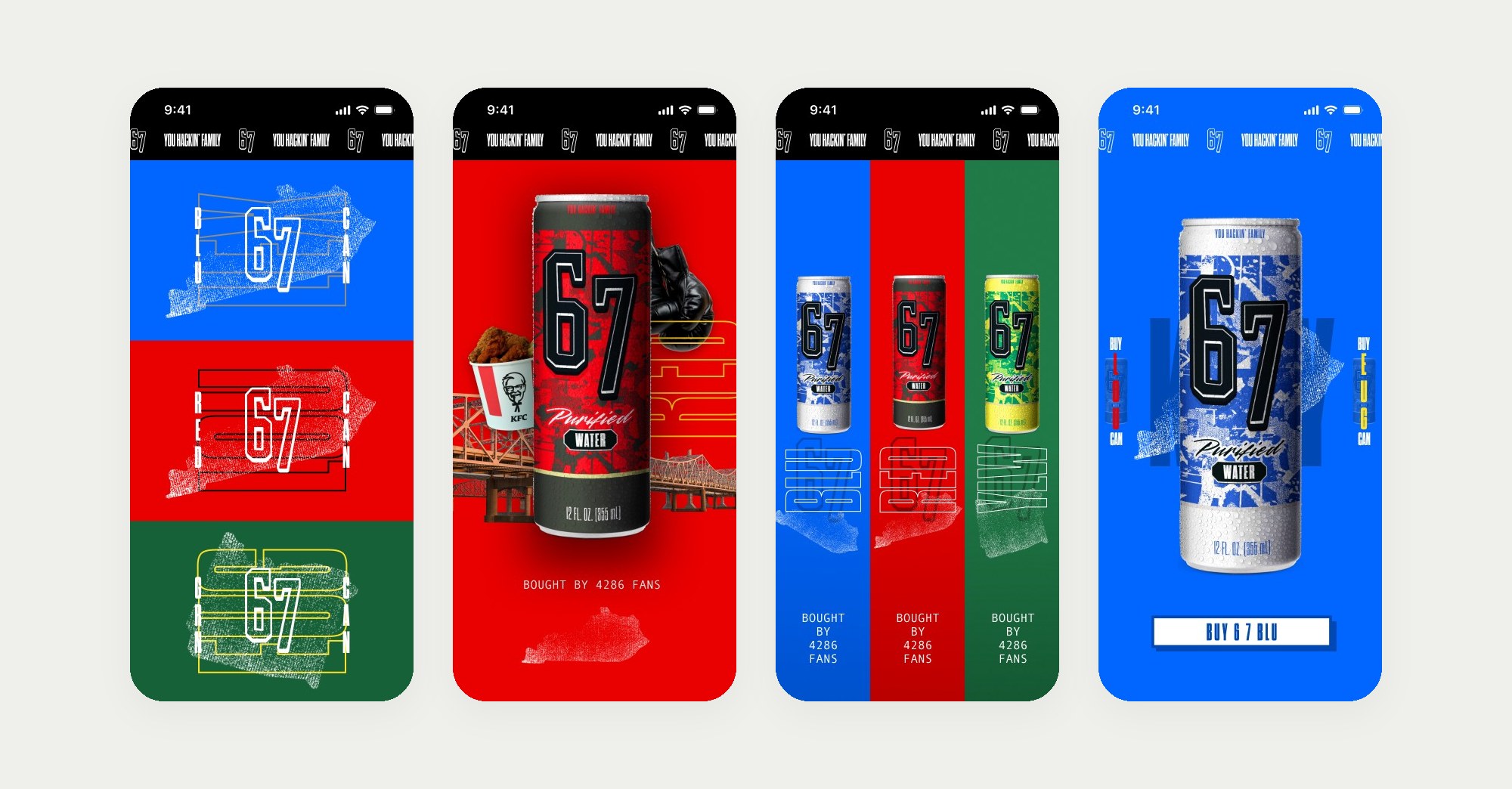
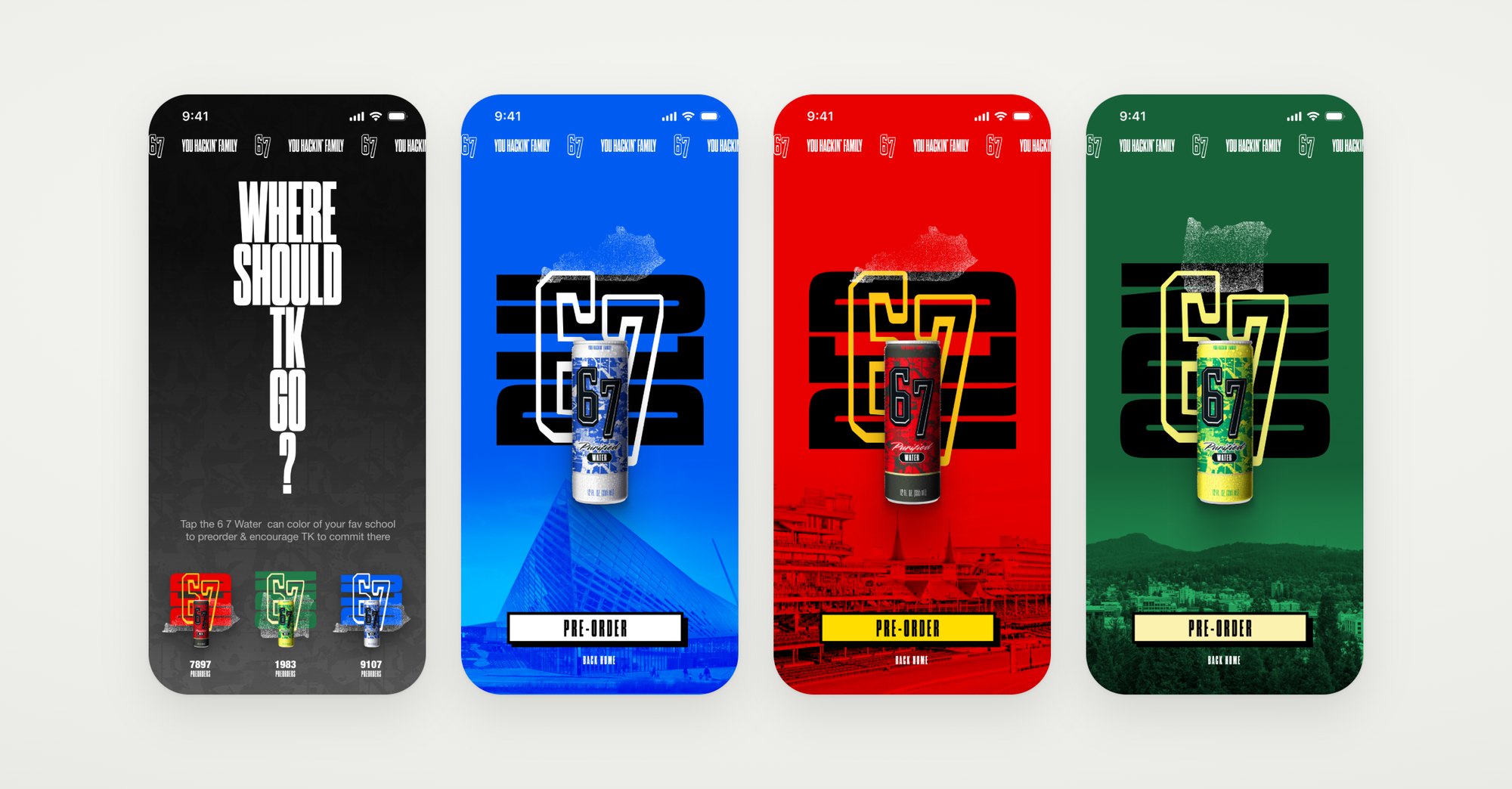
The first version asked fans where TK should go. Each can showed a preorder count, so the home screen also showed which schools fans wanted. Each school had its own page, with its colors in large type around the can and the state outline behind it.
Preordering only took a phone number, with no payment. If a can won and was made, we would text the link to buy it.
Guess his pick
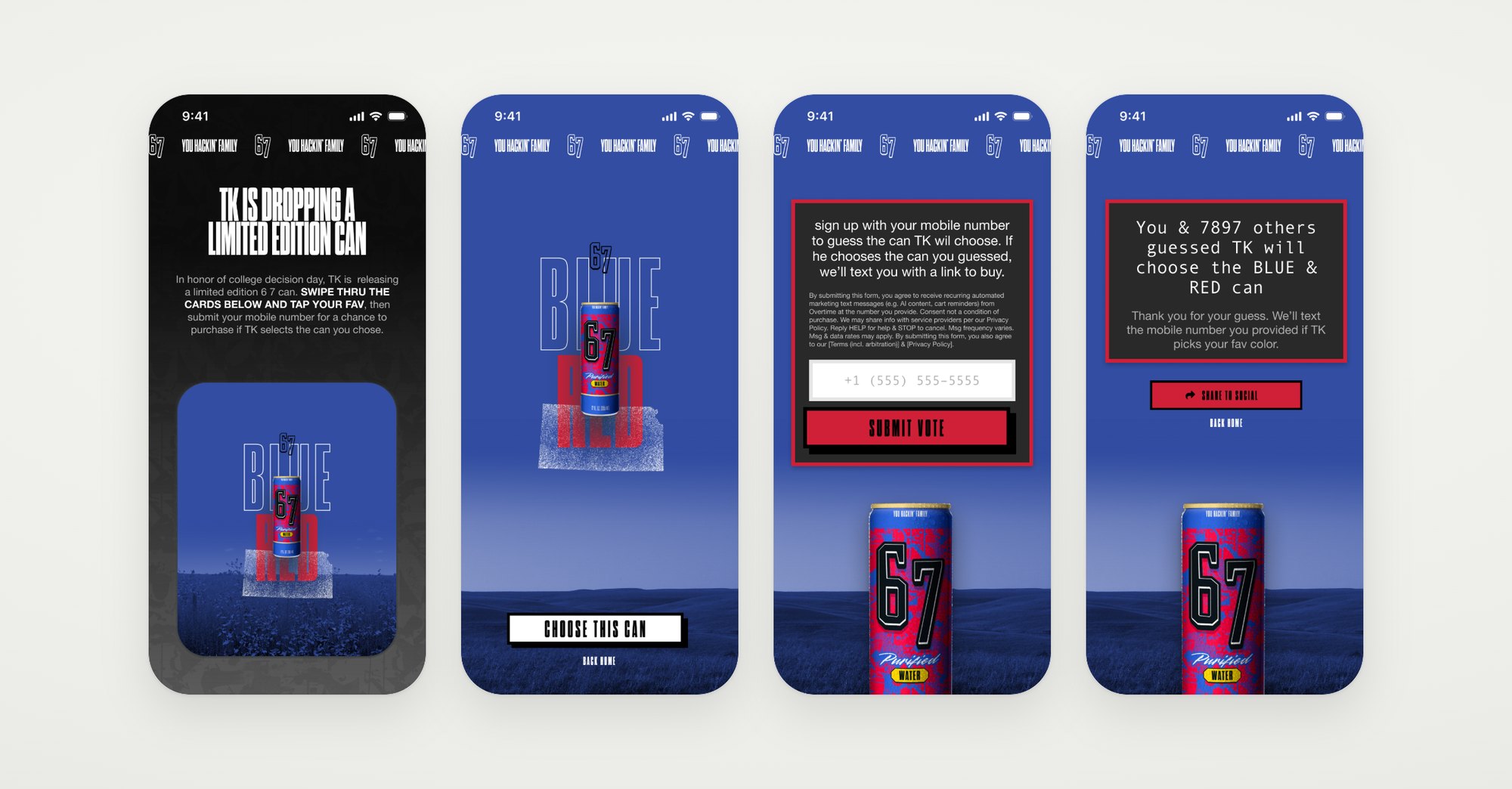
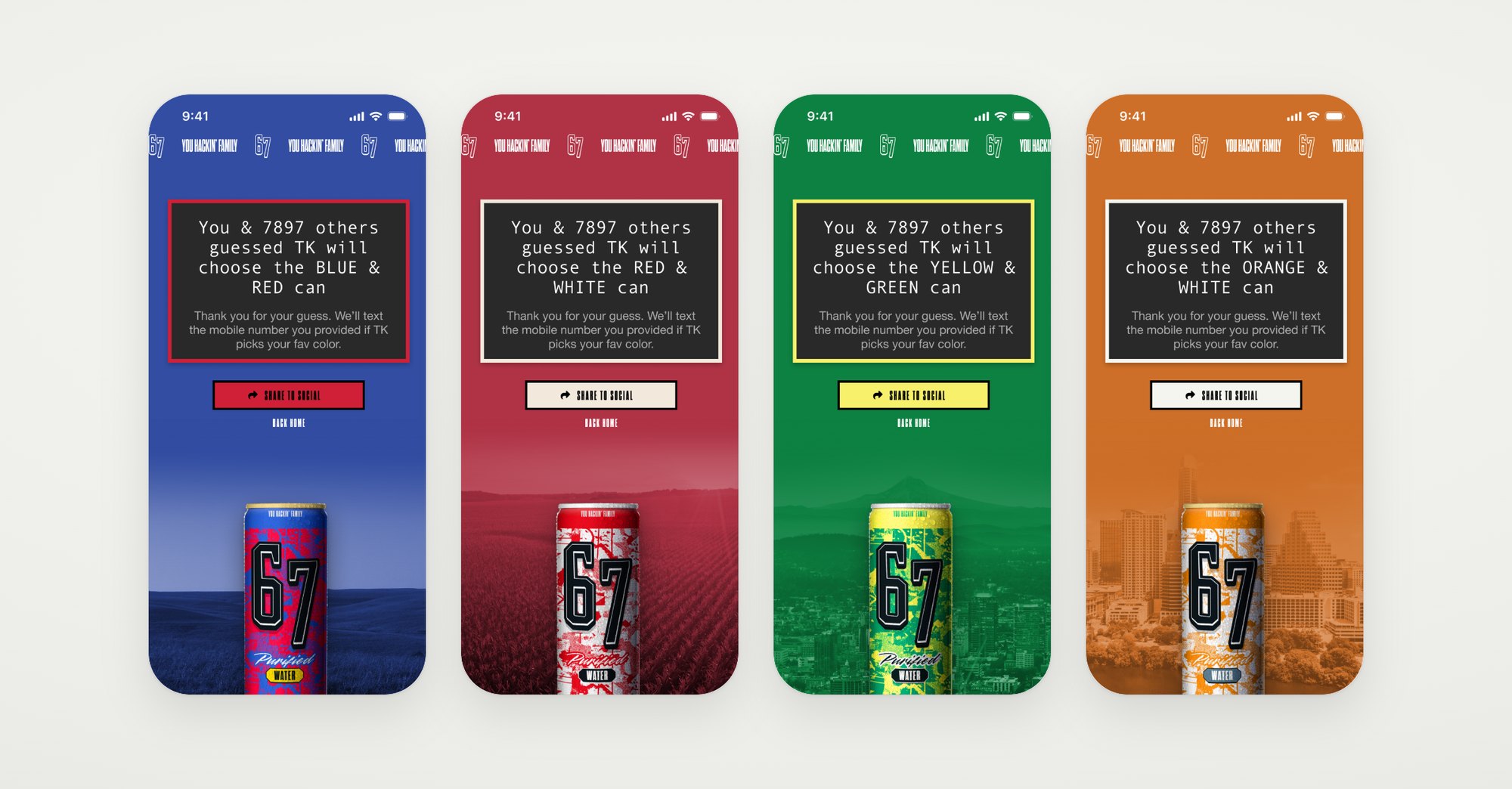
Later we changed the question. Instead of voting on where TK should go, fans guessed where he would go. You swipe through the cards, tap the can you think he'll pick and enter your phone number. If you're right, you get a text with a link to buy it, and the confirmation screen lets you share your guess.
This prototype is from before that change, so it still says vote.
Share graphics
In the concept, everyone who guessed got an image of their school's can sized for Instagram stories, sent by text with a request to post it.
College Shop
This is the third notebook concept built as a store. Each school color is a vertical strip. Tapping one opens a page for that can with the state and the number of fans who have bought it. You can switch between BLU, RED and GRN.
Can pages
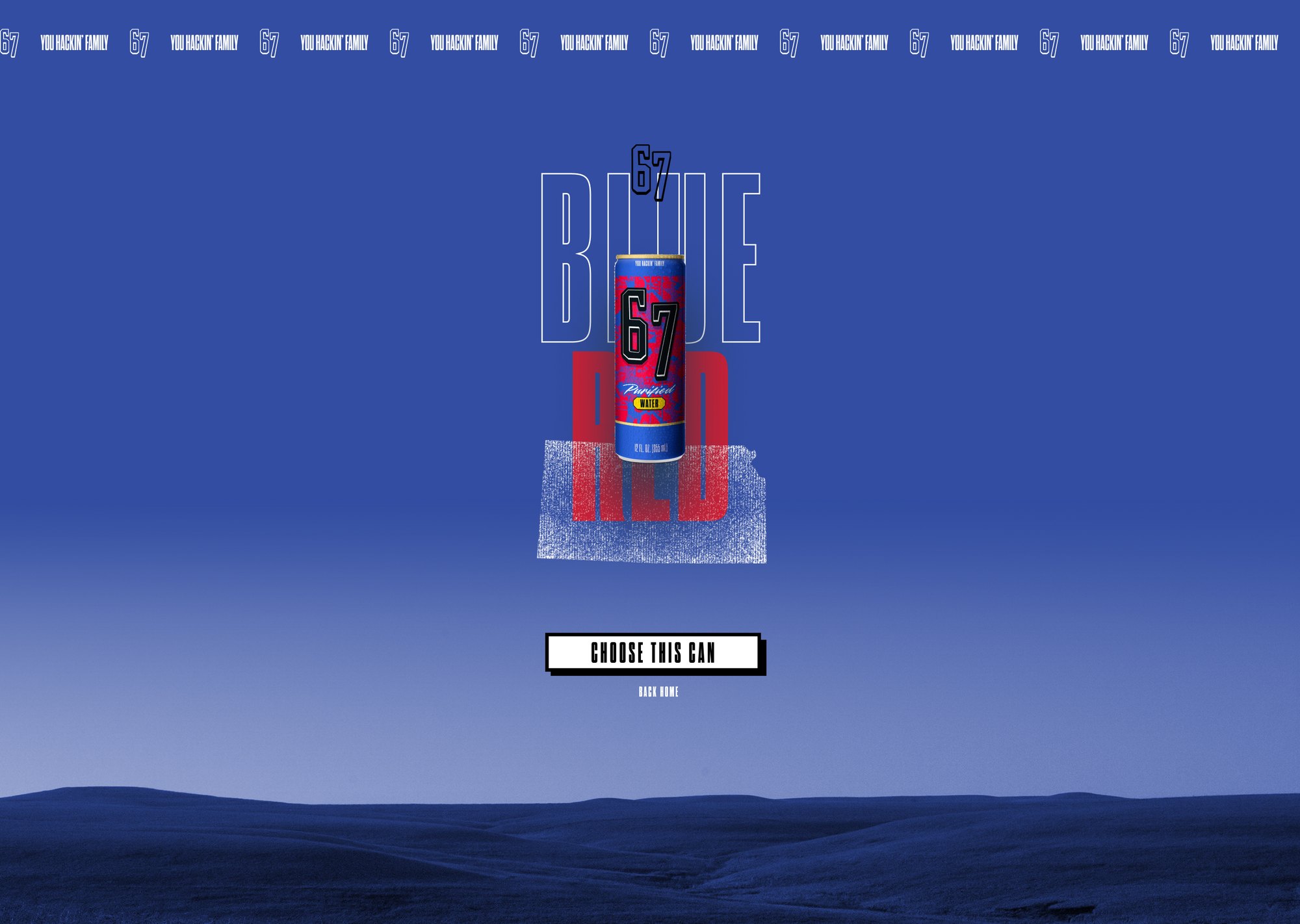
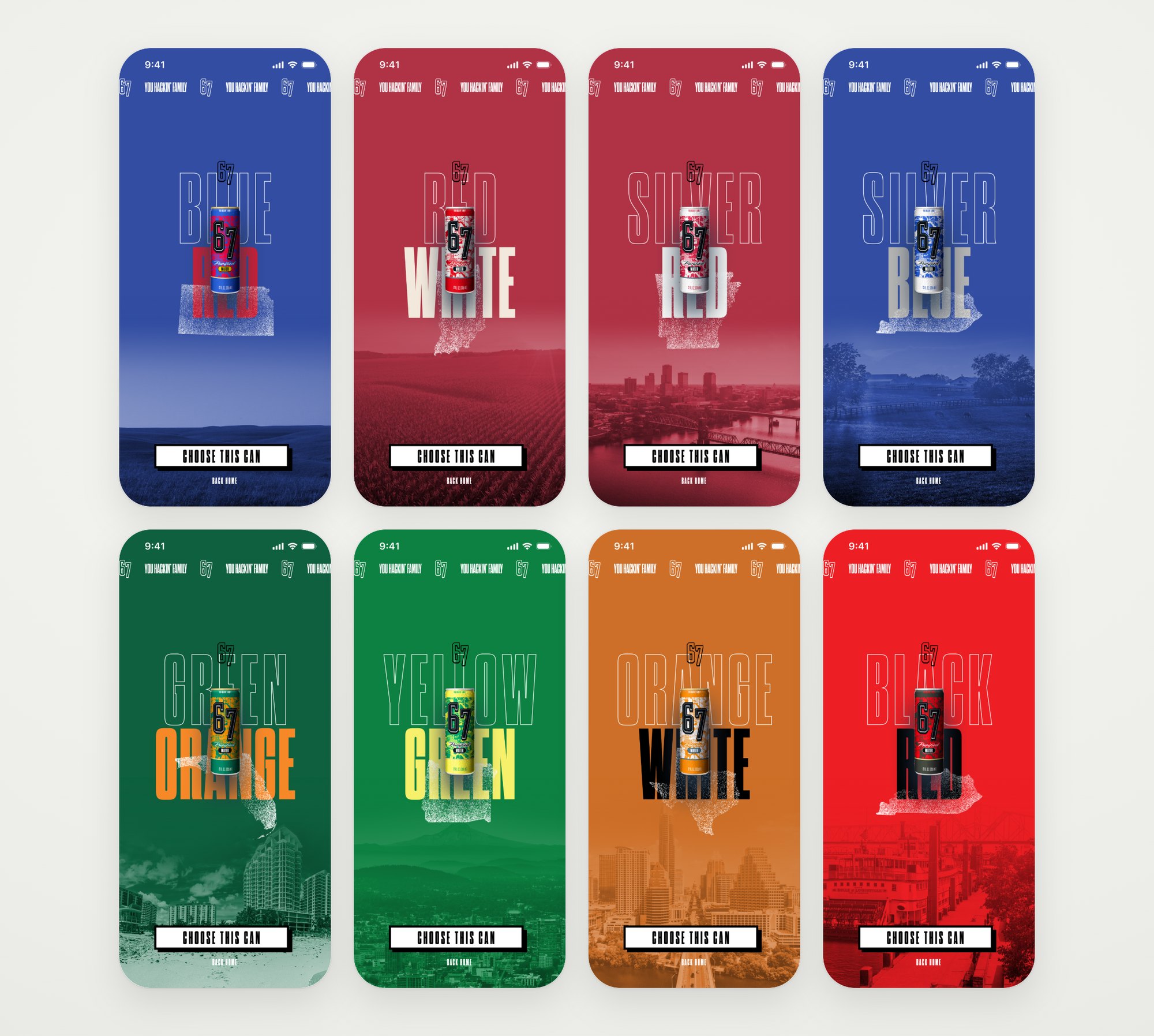
All eight can pages use the same template. Each has the school colors in large type, the state outline under the can, a two-color photo of a skyline or landscape behind it and one button. The desktop version uses the same layout at a larger size.
Motion prototypes
When the page loads, the cards start stacked and then spread out so you can tell they can be swiped. Tapping a card opens that can's page from the card. The second phone shows the guess. The form slides up, you enter a number and the confirmation appears.
He picked Kansas
TK committed to Kansas, so the blue and red Jayhawks can was the one that was made.